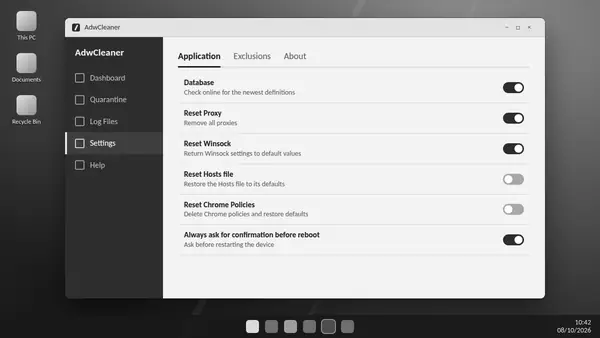
ADW Cleaner settings control how the utility reports activity, handles exclusions and performs optional repairs. The most useful approach is to change an option only when you understand the problem it addresses.
Application preferences
The Application area includes general preferences and may provide options for usage statistics and diagnostic logging. Review the descriptions in your installed release; available controls can change between versions.
Exclusions for verified trusted software
Exclusions tell future scans to leave specified items alone. Confirm a detection belongs to software you trust before excluding it. Broad folder exclusions can hide unrelated unwanted files and make subsequent scans less useful.
Quarantine and retained data
Quarantine preserves supported recovery information for selected detections. Review retained items before deleting working data or removing the utility. Save logs if you expect to compare results or seek support later.
Basic Repair is an optional intervention
Repair options can reset network and browser configuration. These changes may affect legitimate custom settings, so they should answer a specific diagnosed problem. Malwarebytes advises skipping Basic Repair unless instructed by a support agent.
Debug logging for support
More detailed logs can help diagnose a failure but may include additional system information. Enable diagnostic options when needed, keep the relevant report and review it before sharing.
Keep routine scans simple
For an ordinary adware check, focus on current detection updates, a review of the results and deliberate quarantine choices. Extra configuration changes do not make every scan more effective.