
ADW Cleaner for Windows: free adware and browser hijacker removal
Unexpected pop-ups, unfamiliar toolbars or a changed search engine can be signs of unwanted software. ADW Cleaner by Malwarebytes targets recognised adware, potentially unwanted programs and browser hijackers. Understand its capabilities, review scan results and make informed clean-up decisions with this independent resource.
- FreeNo account or licence key
- PortableOne small file, nothing to install
- Windows 10 and 11Made by Malwarebytes
What ADW Cleaner is
What ADW Cleaner detects, when it helps and where its protection ends.
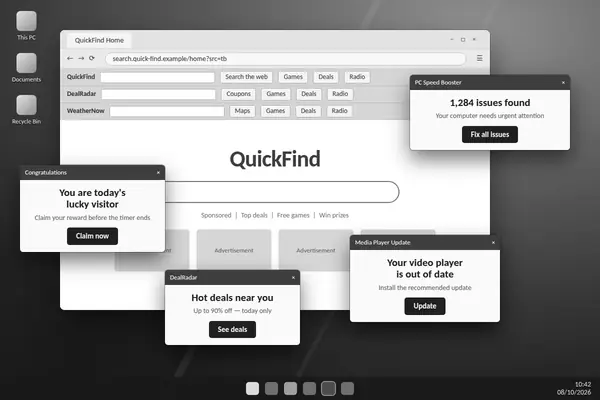
ADW Cleaner, officially named AdwCleaner, is a Windows utility published by Malwarebytes. It targets recognised adware, potentially unwanted programs (PUPs), browser hijackers and unwanted preinstalled software. These programs may arrive through bundled downloads and alter the way your PC or browser behaves.
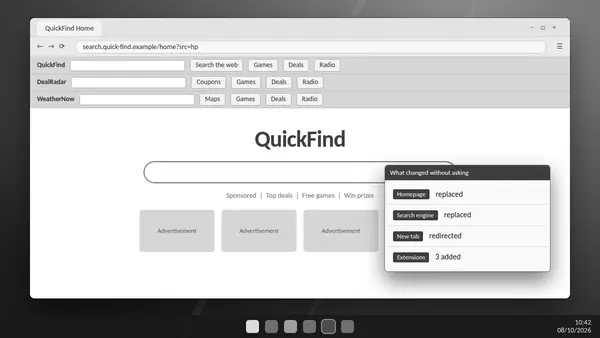
A homepage you did not choose, recurring advertising or an unfamiliar toolbar gives you a reason to investigate. ADW Cleaner checks supported locations for related software and traces, helping connect visible symptoms with detected items.
The utility works on demand. A scan identifies possible problems; cleaning applies the changes you approve. It supplies no real-time antivirus protection, so it complements a supported security product rather than taking over its role.
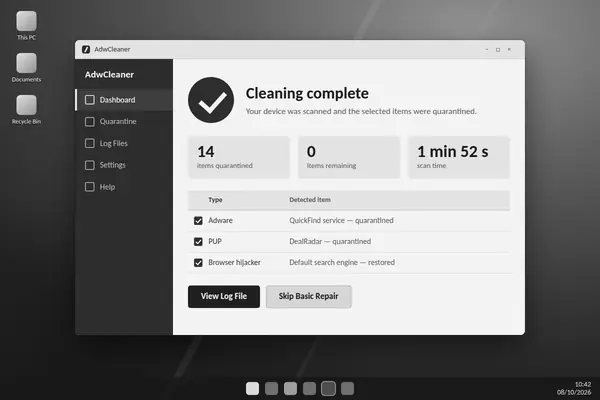
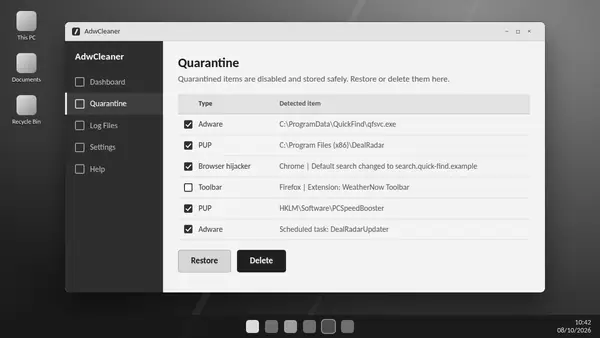
Its portable format is useful for an occasional check or troubleshooting visit. Logs document the run, while quarantine retains supported recovery information for selected detections. Keep that information until you have checked the effects of cleaning.
Results depend on what is causing the problem. Website notifications and legitimate advertising may need browser permission changes instead of adware removal. Persistent symptoms after a clean scan deserve further investigation.
ADW Cleaner features for a considered clean-up
Focused detection, readable results and control over selected changes.
Focused adware detection
ADW Cleaner examines recognised locations for unwanted software, including services, scheduled tasks, registry entries and supported browser data. Scan duration depends on the system and its contents.
Portable Windows utility
A standalone executable provides on-demand scanning without a conventional installation. Working data such as logs and quarantine remain available for later review.
Recoverable quarantine
Selected detections are quarantined with supported restore options. Review the results before cleaning and retain recovery data until you are satisfied with the changes.
Browser hijacker clean-up
Targets recognised hijackers, toolbars and associated traces behind unwanted search changes. Check your preferred browser settings and synchronised extensions after cleaning.
Preinstalled software review
Separates supported manufacturer extras and trial software for review. Keep useful device utilities and choose only the applications you genuinely want disabled.
Readable scan reports
Scan and cleaning logs record detections and actions, giving you a clearer basis for comparing runs or explaining a recurring problem to support.
Trusted-item exclusions
Specific exclusions can preserve software you have verified and trust. A narrow exclusion is easier to review than one covering an entire folder.
Optional system repairs
Repair controls address particular network or browser settings. Use them for a diagnosed problem; Malwarebytes recommends skipping Basic Repair unless support requests it.
ADW Cleaner is an on-demand utility. Keep your regular antivirus and system updates active between scans.
How to use ADW Cleaner
A thoughtful scan starts with preparation and ends with a review of what changed.
Verify the download source
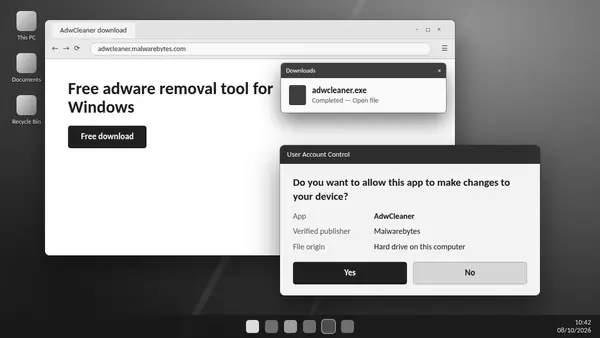
The official Malwarebytes executable provides the starting point. Confirm its source and publisher before allowing it to run.
Prepare the PC
Save open work, have administrator access available and close browsers before cleaning. Detection updates need a working connection.
Scan for unwanted software
The scan examines supported locations and presents recognised detections. The results give you a basis for reviewing what belongs on your PC.
Decide what to remove
Check each detection against its location and the applications you use. Review preinstalled software separately and preserve useful device utilities.
Complete approved cleaning
Quarantine applies your selected changes. A requested restart allows cleaning to finish; saved work prevents avoidable disruption.
Review the outcome
The cleaning log records attempted actions. Test normal browser and application behaviour, and leave Basic Repair unused unless support requests it.
Scan and restart times vary. Do not approve an unfamiliar detection simply because it is selected. If a useful component is affected, review the log and available quarantine recovery options.
What ADW Cleaner removes
Common unwanted software categories and the symptoms worth investigating.
- Adware
- Software that adds unsolicited advertising or opens promotional windows. Unexpected ads can warrant investigation, but ordinary website ads alone do not prove infection.
- Potentially unwanted programs
- Bundled applications, promotional utilities or other software you may not have intended to install. Review the purpose and source before deciding to keep or remove it.
- Browser hijackers
- Unwanted software associated with changed search engines, homepages or browser policies. A setting that repeatedly changes back may indicate a remaining source.
- Toolbars and extensions
- Recognised unwanted browser add-ons and related components. Keep extensions you have verified and deliberately chosen.
- Preinstalled software
- Supported trial applications and manufacturer extras. Useful hardware controls and update utilities deserve a separate review.
- Associated traces
- Recognised tasks, services, shortcuts and registry entries linked to unwanted software. Cleaning these traces can help address recurring detections.
ADW Cleaner specialises in unwanted software. It is not a comprehensive virus or ransomware scanner, and a clean result does not rule out all threats. Use broader security tools when the symptoms suggest more than adware.
Download ADW Cleaner
The ADW Cleaner download is provided by Malwarebytes as a standalone Windows utility. It offers free, on-demand scanning for recognised adware and unwanted software, without an account or paid licence for the tool.
Official Malwarebytes download requested. Completion and file verification are handled by your browser and Windows.
The download source is the official Malwarebytes service. Verify the executable’s digital signature before use and review scan results before cleaning. This independent website does not host or repackage the program.
- File
- adwcleaner.exe
- Price
- Free
- Works on
- Windows 10 and 11; check older releases
- Publisher
- Malwarebytes
- Setup
- None. Portable program
- Source
- Official Malwarebytes server
System requirements
Check operating-system compatibility and the resources available before scanning.
- Operating system
- Windows 10 or 11 recommended; verify legacy compatibility
- Processor
- 800 MHz or faster with SSE2
- Memory
- 512 MB of RAM
- Free disk space
- 10 MB
- Screen resolution
- 1024 × 768 or higher
- Internet connection
- Needed for database updates
- User account
- Administrator rights
- Other platforms
- No macOS, Linux, Android or iOS
Publisher guidance lists Windows 11, Windows 10 and Windows 8.1, while its legacy compatibility article states that releases from 8.5 require Windows 10 or 11. Confirm compatibility for your release on older systems. Firewall rules may need to allow the publisher’s update services.
Administrative access is needed for supported system changes. A network connection permits detection updates. Keep normal security protection active and review the publisher’s requirements if the utility cannot start or update.
Publisher references: system requirements and legacy Windows compatibility.
ADW Cleaner compared with full protection
Compare focused adware removal with broader scanning and ongoing prevention.
| Capability | ADW Cleaner | Malwarebytes Free | Malwarebytes Premium |
|---|---|---|---|
| Removes adware, PUPs and hijackers | Yes | Yes | Yes |
| Cleans viruses, trojans and ransomware | No | Yes | Yes |
| Real-time protection | No | No | Yes |
| Runs without installation | Yes | No | No |
| Price | Free | Free | Subscription |
ADW Cleaner suits unwanted advertising, browser hijackers and bundled software. A broader malware scanner covers additional threats, while real-time protection helps prevent new infections. Choose coverage for the symptoms and review each tool’s current features.
Keep adware from coming back
Reduce the installation and browser-permission habits that often introduce unwanted software.
- Choose custom installationReview optional offers and decline bundled applications you do not need.
- Download from the sourceUse the developer’s download source and verify the publisher before running software.
- Read permission promptsAllow website notifications only when you actually want them. Unwanted permissions can create recurring pop-ups.
- Review extensions monthlyKeep add-ons you recognise and need; review unfamiliar extensions before granting access.
- Keep Windows and browsers updatedInstall supported system and browser updates to reduce exposure to known vulnerabilities.
- Scan after risky installsUnexpected changes after an installation are a reason to review the software and consider an ADW Cleaner scan.
A focused clean-up is easier to maintain when the source of unwanted software is addressed. Downloads, bundled offers, browser sync and notification permissions all deserve attention when symptoms return.
ADW Cleaner guides
Explore source verification, browser hijackers and quarantine recovery in more detail.
-
How to download and run ADW Cleaner on Windows
Prepare Windows for an ADW Cleaner scan, verify the official executable and understand detection review, quarantine and the cleaning report.
Read full guide -
How to remove a browser hijacker with ADW Cleaner
Investigate unwanted search redirects, browser policies and extensions, with checks for the software or sync settings that can bring them back.
Read full guide -
ADW Cleaner quarantine: how to restore or delete items
Understand ADW Cleaner quarantine, recover a verified trusted item and decide when retained recovery data is no longer needed.
Read full guide
Questions about ADW Cleaner
Short answers to what people ask before their first scan.
Is ADW Cleaner free?
ADW Cleaner is a free Malwarebytes utility for on-demand removal of supported unwanted software. It does not require a paid licence for its cleaning functions.
Is ADW Cleaner safe to use?
Use a genuine Malwarebytes executable, verify its signature and review detections before cleaning. Quarantine offers supported recovery, but no system-changing utility is entirely risk-free. Avoid optional repairs unless they address a diagnosed issue.
Does ADW Cleaner need to be installed?
The utility runs as a standalone Windows executable. It keeps working data, such as logs and quarantine, for later review even though no conventional installation is required.
Which versions of Windows does ADW Cleaner support?
Windows 10 and 11 are the practical choice for current releases. Malwarebytes’ requirements page also lists Windows 8.1, but its legacy guidance says version 8.5 onward requires Windows 10 or 11. Confirm the requirements for your release before using an older system.
Does ADW Cleaner work on Mac, Android or iPhone?
ADW Cleaner is a Windows utility. Malwarebytes offers separate products for other platforms; their features and requirements differ.
Will ADW Cleaner remove viruses?
Its focus is recognised adware, potentially unwanted programs and browser hijackers. Use a broader malware scanner for suspected viruses, trojans or ransomware.
Why does ADW Cleaner restart my PC?
A restart can be needed to complete cleaning when affected components are in use. Save your work before approving the cleaning process and follow the utility’s prompts.
Can I undo a clean-up?
Supported items can be restored from quarantine while their recovery data remains available. Confirm the item is trusted before restoring it. Permanent deletion and removal of quarantine data take away that recovery option.
Should I run Basic Repair?
Malwarebytes recommends skipping Basic Repair unless a support agent instructs you to use it. These optional repairs can reset legitimate network and browser configuration.
How do I uninstall ADW Cleaner?
The utility provides a removal option in its settings. Review quarantine and save any reports first, because deleting working data also removes recovery information.